
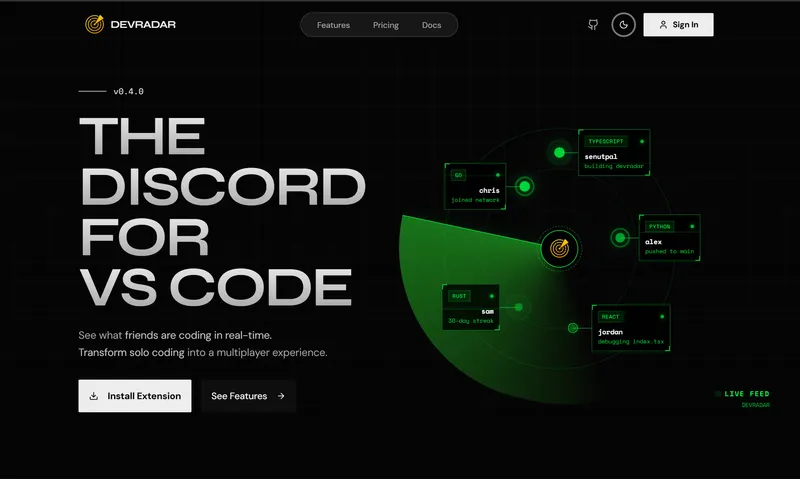
So it started late at night in our college hostel room. My roommates and I were sitting around with our laptops open, working on our own small coding assignments and side projects.
At some point, we started talking about how cool it would be if we could track each other’s coding streaks. Like if one of us is slacking off, the others could see it and poke them to get back to work. Or if we’re building a project together you could see the exact moment your friend sits down, opens their editor and starts typing. We wanted something to gamify the whole coding experience with streaks, points and friendly competition.
Our first thought was just using Discord but that didn’t work for us at all. One of my roommates had never even used Discord before and found the whole thing like servers, channels, voice rooms super confusing. On top of that, nobody wants to keep alt-tabbing out of their code editor just to check if someone is online.
So we thought, Why not build it directly inside VS Code ? We already live in VS Code all day anyway. We could make a simple sidebar where your friends show up, see who’s coding right now, what language they’re working in, track our streaks together and poke each other without ever leaving the editor. That hostel conversation was I got started on devRadar.
The Problem and The Idea
The Discord Friction
We wanted to stay connected and keep each other accountable while coding, but Discord felt too heavy. Not everyone knows how to navigate Discord servers and having to switch back and forth between your code and a chat app breaks your focus when you’re in the middle of a problem.
The DevRadar Idea
Put the presence right where developers actually work. A clean sidebar in VS Code that tracks coding time, shows what your friends are working on, warns you if two people open the same file on a team and lets you poke someone to start coding with one click.
What DevRadar Is
The project is organized as a monorepo using pnpm and Turborepo. It connects a VS Code extension on your machine to a Fastify server over WebSockets, backed by Redis for fast live state and PostgreSQL for long-term data.
- VS Code Extension (
apps/extension): The extension adds a radar icon to your VS Code Activity Bar. It gives you five simple tree views which are Friends (split into online, idle and offline), Friend Requests, My Stats, Leaderboard and Activity. It also puts a live indicator in the bottom status bar showing who’s online and your current streak. - Fastify WebSocket Hub (
apps/server): A fast Node.js backend built with Fastify. It handles GitHub OAuth, verifies JWTs, checks messages with Zod,and uses Redis pub/sub to send status updates to your friends instantly without touching the main database on every event. - Next.js Web Dashboard (
apps/web): Built with Next.js 16, React 19 and Tailwind CSS v4. It gives you a web page to look at weekly coding charts, check global rankings and manage team workspaces. - Shared Package (
packages/shared): A common TypeScript package that stores shared Zod schemas, WebSocket message types and constants so the extension, server and web app always speak the exact same language.
How the Real-Time Engine Works
Building live presence directly inside a text editor sounds simple on paper but you run into several practical engineering problems pretty quickly.
Debouncing keystrokes and heartbeats: You cannot send a WebSocket packet every single time someone presses a key on their keyboard. If someone types 80 words a minute, that would fire hundreds of packets every minute and easily choke the connection. So the extension debounces typing updates by 1 second. While you keep typing, a 30-second heartbeat lets the server know you’re still active. If you don’t touch your keyboard for 5 minutes, it automatically flips your status from online to idle.
Measuring intensity instead of spying: Developer privacy is a huge deal. Nobody wants an extension that reads their actual code or logs what they type. So DevRadar never touches file contents. Instead, it just counts how many keystrokes you make in a rolling 1-minute window, calculates your keystrokes per minute (KPM) and maps that to a 0–100 Intensity score (where 300 KPM is 100%). Your friends can see that you’re actively typing but not a single word of your code is ever exposed.
Handling bad Wi-Fi: In a college hostel, internet connections drop all the time. If your Wi-Fi cuts out for 10 seconds or you restart VS Code, you don’t want the server to instantly broadcast that you went offline, only to say you came back online 10 seconds later. So when a WebSocket disconnects, the server gives you a 60-second grace period in Redis before clearing your presence. If you reconnect within that minute, your session continues without flickering.
Conflict Radar: This was one of the handiest features for working together. If two people on the same team open the exact same file in a project, DevRadar hashes the project root and relative file path using SHA-256 and stores it in a Redis Set with a 5-minute sliding TTL. If someone else is already in that file, both people get an alert in VS Code “2 people are editing the same file!”. It helps you avoid merge conflicts before they even happen.
Privacy by default: Nobody wants their secrets leaking onto a friends feed. The extension has a built-in blacklist that automatically ignores .env, .env.*, *.pem, *.key and secret folders. You can also turn on Privacy Mode to hide specific file names or turn on Ghost Mode to go completely invisible whenever you want to code in peace.
What Actually Got Built
In the Editor (VS Code Extension)
- Live Friends List: Tree view showing friends sorted by online, idle and offline with current language and file tags.
- Pokes and Replies: Send quick poke notifications directly to a friend with one-click Poke Back replies.
- Conflict Radar: SHA-256 file path hashing that warns you when a teammate is editing the exact same file.
- Privacy and Ghost Mode: Automatic blacklisting for .env files and private keys, plus one-click invisible mode.
Backend & Web Dashboard
- Fastify WebSocket Hub: Real-time message routing with Zod schema validation and connection recovery.
- Redis State Engine: Ephemeral presence hashes, pub/sub channels and atomic streak updates.
- Stats and Leaderboards: Redis Sorted Sets tracking daily coding time and weekly rankings.
- Next.js Dashboard: Web interface for checking weekly coding stats, leaderboards and team workspaces.
Why I Stopped Building It
I actually got pretty far with DevRadar. Most of the core features were built and working the VS Code extension connected cleanly, presence updates streamed over WebSockets, the Redis leaderboards updated in real time and the server was handing out achievements like “Bug Slayer”, “Night Owl” and “Week Warrior”.
Then, I realized gamifying coding is not a good idea.
I ended up writing an entire writeup about this realization When Gamification Spoils Your Learning. In that post, I talked about how the second you turn a measure into a target, it stops being a good measure. By turning coding into a competitive game, DevRadar was encouraging us to chase fake points instead of doing real, deep learning.
Once I realized that, I completely lost interest in continuing to build or ship DevRadar. Adding more streak reminders or push notifications felt wrong when I didn’t even believe in gamification anymore.
So I stopped working on it. I left the codebase as an open-source project on GitHub. Even though I walked away from the idea, building it was still a great learning experience. It taught me how to write VS Code extensions, handle real-time WebSockets with Fastify, use Redis pub/sub pipelines and manage a multi-package monorepo.