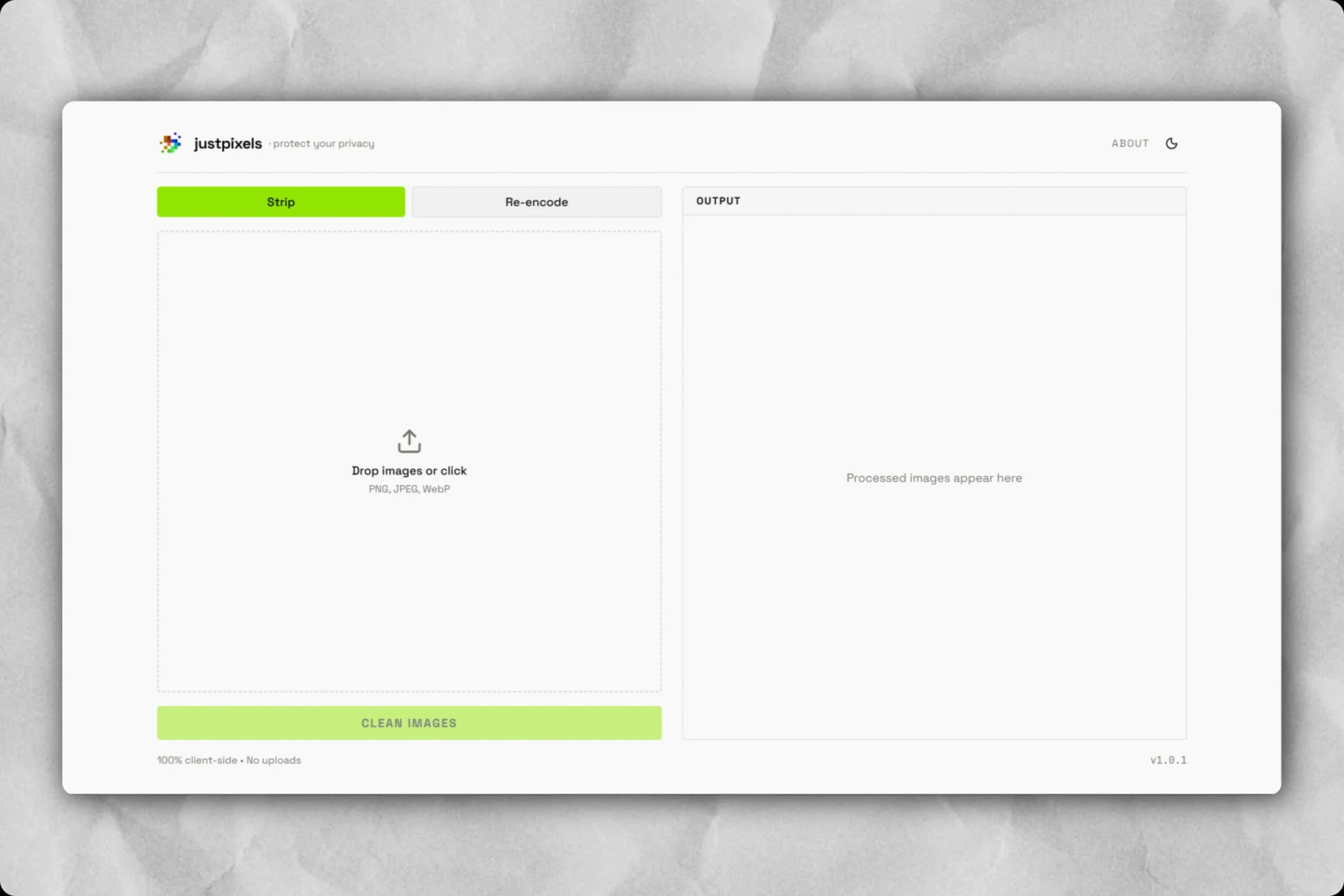
So I was scrolling Reddit late one night and came across a post on the r/TwoXIndia subreddit which was pretty creepy.
A girl was talking about selling an old camera lens on an online marketplace. Since she lived alone in an apartment, she was careful about her privacy. She told the buyer upfront that she wouldn’t do a doorstep pickup and insisted on meeting outside a busy metro station nearby. A few hours before meeting, the buyer messaged her. He said the photos on the marketplace app were too compressed to check the glass for scratches. He asked “Can you email the original pictures directly to my email as raw files so I can zoom in properly ?” It sounded completely reasonable so she took a few clear photos of the lens on her desk at home and emailed the original image files straight to him. The next morning, she woke up to a WhatsApp message from him. He casually mentioned her exact apartment complex name and tower block, saying “Hey, I noticed you stay at [Apartment Name]. I’m actually right around your block today, want me to just come up to your flat instead of meeting at the station ?” She got shit scared. She had never given him her address. The entire reason she insisted on a metro station meetup was so a stranger from the internet wouldn’t know where she lived. It turned out he simply downloaded the raw image files she emailed, checked the file properties and read the exact GPS coordinates. Modern phone cameras automatically tag every photo you take with your precise latitude, longitude, altitude, device model and timestamp.
Reading through the comments on that Reddit post, almost nobody realized this happens. When you share photos on WhatsApp or Instagram, those apps compress the picture and strip out the metadata automatically. But whenever you email a photo, send an image as a raw “Document” or “File” or upload it to a web portal, that entire trail of personal data stays attached. I looked around to see what normal people could use to fix this. Almost every “metadata remover” online asks you to upload your sensitive pictures to their mystery server first. Sending your personal photos to some unknown server just to protect your privacy felt completely backwards.
I wanted something dead simple open a webpage, drop an image in, have all personal data wiped in a few milliseconds and know with 100% certainty that the photo never left your device. That is why I built justpixels.
The Problem and The Idea
The Hidden Data
Every photo taken on a smartphone carries hidden metadata such as precise home GPS coordinates, camera details, timestamps and embedded thumbnails. When you email photos or send raw files to strangers online, all of that personal info goes straight to them.
The justpixels Idea
A simple web tool that runs completely inside your browser. No servers, no accounts and no cloud uploads. You drop in an image, it cuts out all the personal metadata in browser memory in single-digit milliseconds and hands you back clean pixels.
What justpixels Is
justpixels is a client-side privacy tool built with Next.js 16, React 19, TypeScript and Tailwind CSS. It runs entirely inside your browser tab using native Web APIs. You can load the site, disconnect your Wi-Fi completely and the entire app still works without missing a beat.
It has two ways to process images, depending on what you need.
- Strip Mode (Default & Fast): Instead of decoding and re-compressing the image, it reads the raw file bytes in memory and slices out the metadata blocks. Because the actual pixel data is never touched or compressed again, there is zero quality loss, the file doesn’t blow up in size and processing finishes in under 10 milliseconds.
- Re-encode Mode (Paranoid): If you want absolute certainty that no hidden data, strange color tags, or malformed bytes remain, this mode decodes the raw image pixels fresh and draws them onto a clean canvas, creating a brand new image container from scratch.
- Supported formats: Handles JPEG, PNG and WebP images out of the box.
- Hash check: Computes SHA-256 checksums before and after processing using the browser’s Web Crypto API, giving you clear proof that the file was altered and cleaned.
How the Binary Stripper Works
When people want to remove metadata, the most common approach is drawing the image onto an HTML5 Canvas and exporting it back out. But re-encoding has two big problems image degradation and unpredictable file bloat. Every time you re-encode a JPEG, lossy compression runs again, causing subtle blurriness and compression artifacts. On top of that, browser canvas exporters often use conservative defaults that can make the output file twice as large as the original. Binary stripping avoids this completely. An image file is just a stream of bytes structured into markers or chunks. By reading those headers directly, we can pluck out the metadata segments and leave the compressed pixel scan untouched.
1. Stripping JPEG files:
- JPEGs begin with the 2-byte marker
0xFF 0xD8(Start of Image). - The stripper scans forward looking for
0xFFmarker bytes. - Markers
0xE1through0xEF(APP1 to APP15) are where EXIF (GPS coordinates, camera specs, timestamps), XMP, IPTC tags and ICC color profiles live. Marker0xFEholds user comments. The stripper drops every single one of these. - Crucially, it preserves
0xE0(APP0 JFIF header) so image viewers know the pixel density, along with quantization tables (0xDB), Huffman tables (0xC4), restart intervals (0xDD) and frame headers (0xC0–0xCFwith width and height). - When it encounters
0xDA(Start of Scan), it copies the compressed image data directly until0xFF 0xD9(End of Image). It also handles JPEG byte stuffing (where0xFF 0x00in the scan data represents an escaped0xFF), ensuring scan bytes are never mistaken for markers.
2. Stripping PNG files:
- PNG files always start with an 8-byte signature:
89 50 4E 47 0D 0A 1A 0A. - After that, data is organized into chunks consisting of length, chunk type, data and a CRC checksum.
- The stripper filters out all text chunks (
tEXt,zTXt,iTXt), timestamps (tIME), color profiles (iCCP) and camera metadata (eXIf). - It preserves only the critical chunks required to render the image:
IHDR(dimensions and bit depth),PLTE(palette),IDAT(image data),tRNS(transparency so alpha channels stay intact) andIEND(trailer).
3. Stripping WebP files:
- WebP files use the RIFF container format.
- The stripper reads chunk headers and drops
EXIF,XMPandICCPchunks while keeping image data chunks (VP8,VP8L,VP8Xand alpha dataALPH). - It then recalculates the new file size and rewrites the 4-byte RIFF header size in little-endian format so the file remains valid.
What Got Built
Privacy & Security
- Zero Server Uploads: Images never touch a network socket; all parsing happens inside browser memory.
- Complete Metadata Wipe: Strips GPS coordinates, camera models, lens specs, timestamps and thumbnails.
- Cryptographic Proof: Computes SHA-256 hashes before and after processing to confirm data modification.
Performance & Processing
- Lossless Binary Stripping: Fast byte-level slicing for JPEG, PNG and WebP with zero compression loss.
- Paranoid Re-encode: Full pixel redraw using WebCodecs ImageDecoder API with Canvas fallback.
- Batch Queue: Process multiple images sequentially without exhausting device memory or freezing the UI.
Why Client-Side Privacy Matters
The biggest problem with privacy tools today is that most free online utilities ask you to upload your sensitive files to a server you know nothing about. You are trusting that whoever runs the site actually deletes your photo after processing, doesn’t train a model on it and doesn’t log your IP address. Running everything inside the browser sandbox is the only true zero-trust model for this. There is no backend database, no server API and no cookies. Once the webpage loads, you can turn off your internet and use it forever. Building justpixels reminded me how powerful modern browser APIs have become. With ArrayBuffer, typed arrays, WebCodecs and the Web Crypto API, you can do low-level systems work right inside a client tab that used to require heavy command-line tools.